
MSUITE BIM is design automation software for MEP contractors built inside Autodesk® Revit®. It automates spools, shop drawings, hanger placement, and tagging to improve quality and speed BIM to fabrication workflows.




MSUITE BIM is design automation software for MEP contractors built inside Autodesk® Revit®. It automates spools, shop drawings, hanger placement, and tagging to improve quality and speed BIM to fabrication workflows.
By leveraging the power of your industry experience and ours, MSUITE BIM’s rule-based automation allows users to quickly automate fabrication spool and sheet creation, hanger placement, point layout, shop drawings and more.
Whether your team is running Autodesk Fabrication CADmep, Revit, or transitioning between the two, MSUITE BIM accelerates every stage of the MEP design and detailing process.
Auto Spool rapidly creates assemblies using construction logic and project parameters to ensure that what gets fabricated in the shop will work for the field.
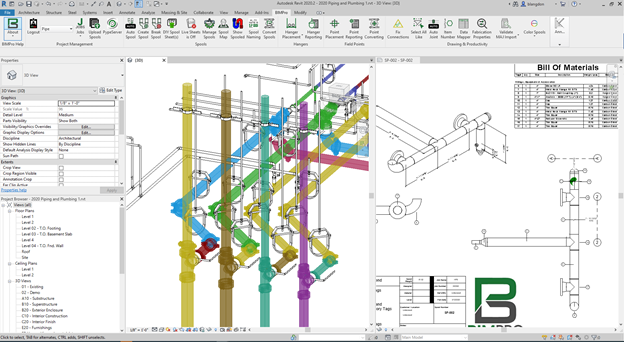
DIY Spool Sheets automates the placement of views, dimensions, tags, and more. Whether you are placing dimensions on 3D views or Weld Mapping, let MSUITE BIM MEP automate it.
Empower design teams by removing tedious hurdles like properly placing hangers throughout a model.
Collaborate with layout teams in the field by automating point placement and reporting. Quickly create thousands of points and send them — and the model — straight to your total station equipment in the field.
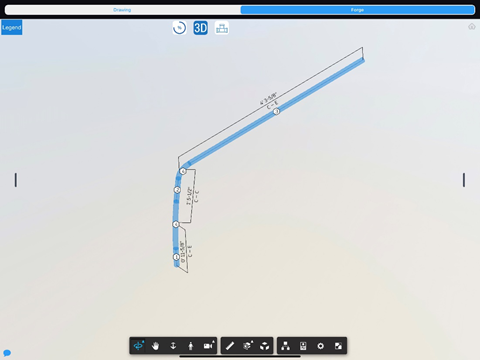
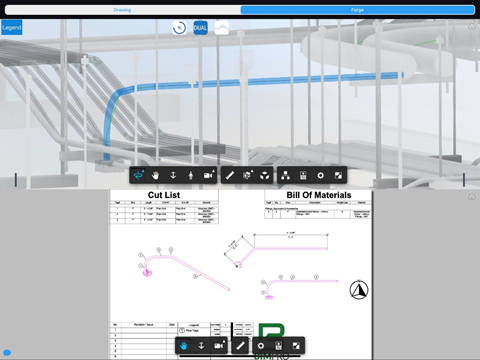
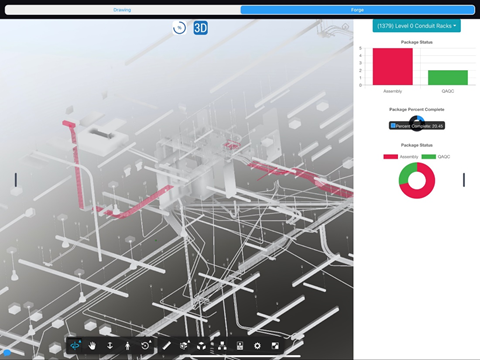
Seamlessly push to and from MSUITE BIM to Autodesk BIM360 Docs and Forge for 2D and 3D data exchange.
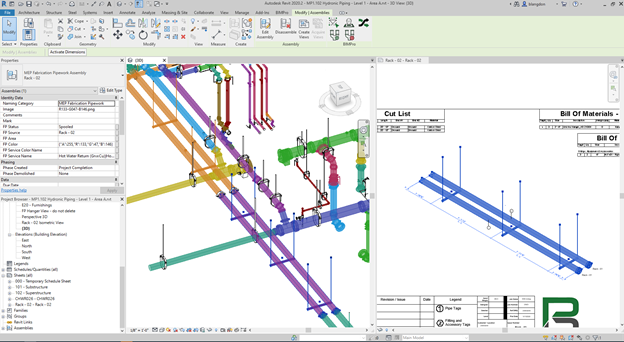
Connect model information directly to the cut tables. MSUITE BIM integrates with MSUITE FAB so shop floor teams can view 2D PDFs, spool maps, and 3D models in the cloud.
MSUITE BIM is an Autodesk® Revit® plug-in that provides an in-application ribbon with a comprehensive set of MEP design automation tools. Key features include:
 Autodesk® Revit® Plug-in
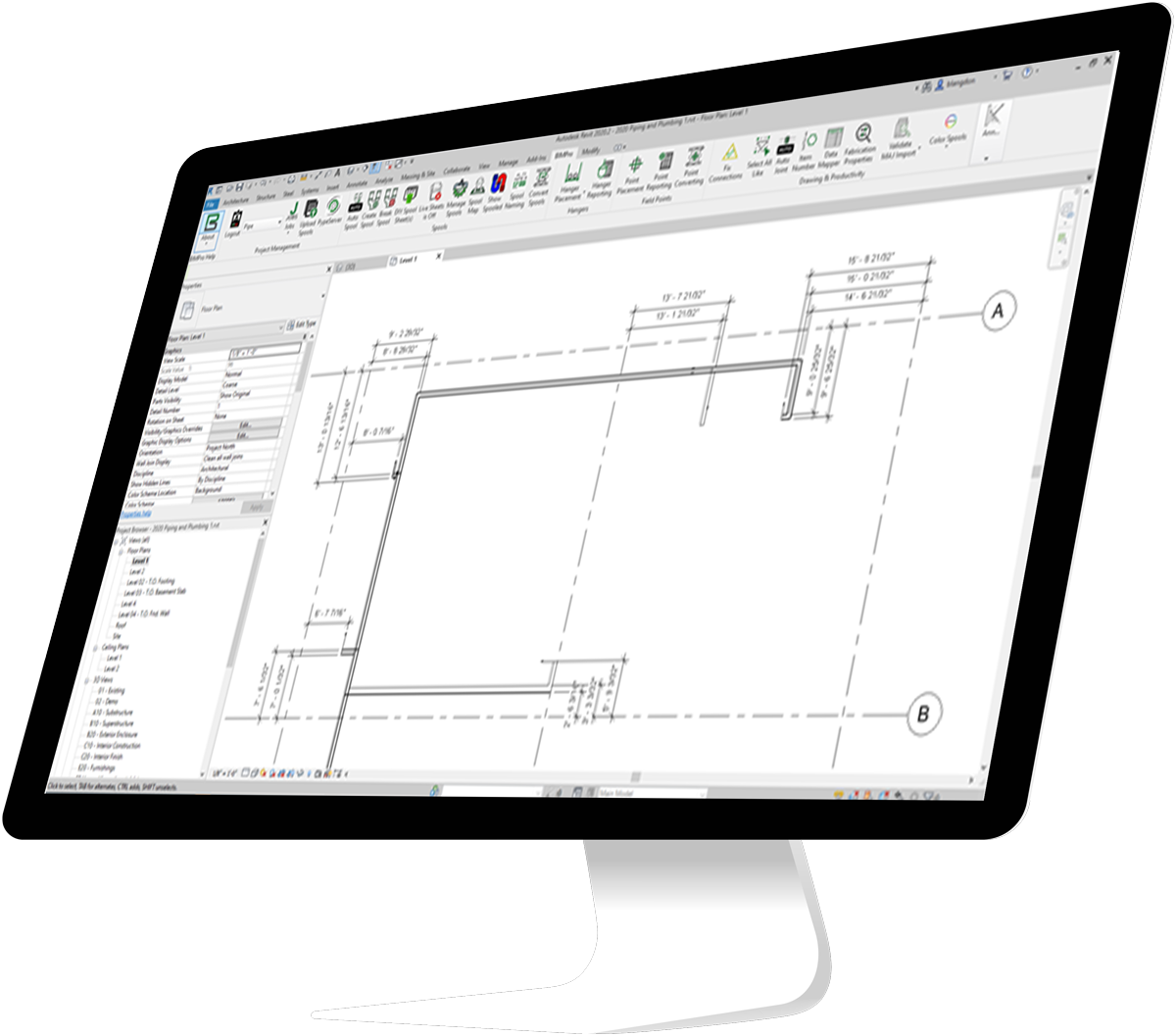
The plug-in for Autodesk® Revit® provides an in-application ribbon containing tools to help expedite spool and sheet creation.
Auto-Spooling
Automatically identify spools based on a set of construction rules.
MSUITE Fab Integration
Integration with MSUITE FAB, enabling enhanced shop workflow and accurate transfer of information from design to fabrication.
Create & Color Spools
Manually create spools within seconds. Color spools as you go to quickly identify spools within the model.
Break Spools
Break preexisting spools quickly to adjust and make new spools.
Titleblock & Sheet Layout
Custom Titleblock support with Parameter mapping. Schedule Creation and Placement for cuts, joints and materials.
Speed
3-15 seconds to create a sheet, fully
annotated; another 15-60 seconds to
clean up manually. Average manual spooling = 5 – 10 min; MSUITE BIM Spooling = 30 seconds; 90 X FASTER.
Auto-Dimensions
Automatically dimension rolling offsets. Display Centers, Faces and Ends in any View – Plan, Elevation, or Isometric.
Auto-Tag
Automatic 80% Overlap-Free Tag and Annotation Placement.
Tag & Annotation
Construction Annotations with Dimensions, Item Number Tags, Size Tags, Continuation Tags and Dimensions to Grids.
Updates
MSUITE BIM updates are released every 2-3
weeks, and are heavily influenced by
customer feedback.
Fabrication CADmep to Revit
Export MAJs with item data from CAD,
Validate MAJ data in Revit, Fix Connections for imported items and Convert Spools.
Model Viewer
Cloud Model Uploads to MSUITE Fab, so shopfloor can view 2D PDFs, spool map, and 3D model
DIY Spool Sheet Performance
Creates a fully annotated spool sheet in 3–15 seconds (depending on model size), fully annotated; another 15-60 seconds to clean up manually.
Auto-Spool Performance
273 spools and sheets created in 15 minutes. 18 spools/minute. 11,000 spools created in a 70,000+ multi-trade Fabrication Part model created in 24 hours, running in background.

MSUITE is crucial to helping Brandt deliver superior designs and accurate fabrication to commercial and industrial facilities across Texas.

McKinstry selected MSuite for its robust set of features and user experience. MSuite also received great accolades on its customer service which was also an important factor in our decision making process.

Post Covid-19, MEP Construction firms are pushing the envelope to increase productivity, reduce costs, and increase communications. MSUITE allows our staff to manage pre-fabrication operations at a distance and build efficiently.

MSUITE works continuously to improve their software and add functionality. For PSM, the Power BI Data Exports and Digital Spools have increased efficiency, saved time in the shop, and provided a platform for scheduling












MSUITE BIM is crucial to helping Brandt deliver superior designs and accurate fabrication to commercial and industrial facilities across Texas.
JOHN TRAMMELL | DIRECTOR OF VDC